- Навигация
- Поиск урока
After effects 
- Все уроки
- На русском
- Базовый курс
- Expressions
- Композитинг
- 3D эффекты
- Эффекты с текстом
- Видео эффекты
- Спецэффекты
- Typography
- Motion graphics
- Кеинг
Photoshop
- Все уроки
- Базовый курс
- Дизайн
- Вебдизайн
- Анимация
- Фотообработка
- Свечение
- 3D эффекты
- Эфекты с текстом
- Коллажирование
- Matte painting
3D max
- Все уроки
- Базовый курс
- Текстовые эффекты
- Текстурирование
- FumeFX
- Анимация
- Моделинг
- Рендеринг
- Риггинг
- Освещение
- Mental Ray
- V-Ray
Maya
- Все уроки
- Базовый курс
- На русском
- Освещение
- Рендеринг
- V-Ray
- Моделинг
- Анимация
- Риггинг
- Текстурирование
Softimage, XSI
Mudbox
Eyeon Fusion
Modo
MotionBuilder
VUE
MARI
Anime Studio
Premiere Pro
Massive
UDK
CryENGINE
Уроки по производителю
- Все уроки
- Allanmckay

- Allbetsareoff

- Artbeats

- Аmateurmedia

- Blender Guru

- Bythebooth

- Cgcookie

- Cineversity
- CmiVFX

- Creativecow

- Design-lime

- Digital Tutors

- Eat3D

- Evermotion

- Escape Studios

- Gfx2day

- Gnomon Workshop

- Graymachine

- Greyscalegorilla

- Helloluxx

- Jorgelega

- LFP-industries

- Lynda

- Lyxology

- Mikeudin

- Motionworks

- Maltaannon

- Maxafter

- Mattrunks

- Nix studio edition

- Pariah Studios

- Quba HQ

- Red Giant

- Robert Leger

- Scream school

- Thec4dvault

- Thr3shold-media

- Tutes

- Tuts+
- Tripodbg

- Vertex Pusher

- Video Copilot
- VTC

- Zola-media

Пикады
-
Система водоснабжения дома
Информация о насосах. Интернет-магазин с доставкой по Москве и области.
tm-montage.ru
Заказ платной рекламы
VIDEO TUTORIALS » Photoshop » Photoshop Matte Painting
Информация к новости
- Просмотров: 7920
- Автор: ryujin
- Дата: 6 февраля 2012
Photoshop Matte Painting
Категории: Photoshop, Matte painting видео уроки, cmiVFX
ПAРОЛЬ НА ВСЕ ФАЙЛЫ: videotuts.ru
Скачать видео урок с:
- Об уроке
- Скриншоты
Concept
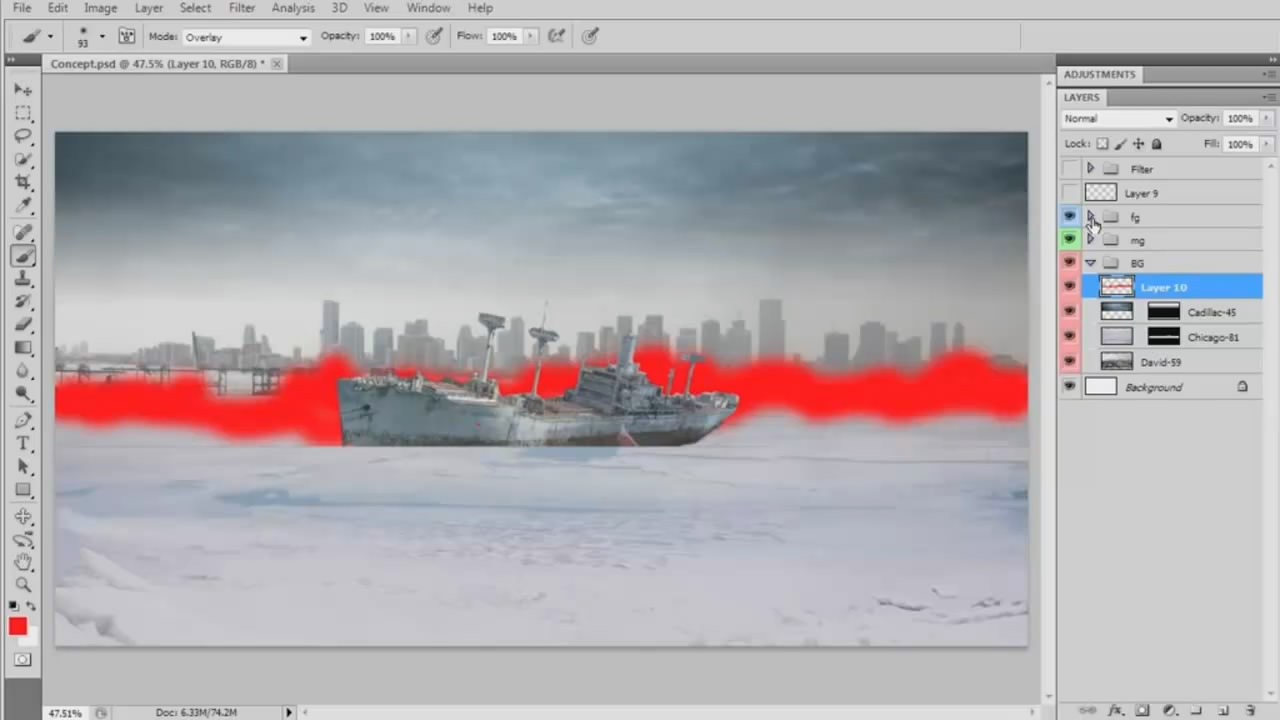
Everything starts with an idea. In this chapter, we are going to start with a basic sketch and work our way up using reference photographs and color correction tools to create the basic feel of the painting. A very quick
and loose process, the idea of this step is to create a solid starting point. We will be looking for relevant photo references and elements to be used in the main painting, and roughly piecing them together to get the general idea on paper.
Groupings
Time is money. One of the most important things while working in Photoshop with hundreds of layers, is organization. By organizing your layers in a logical way, you will not only make your own life a lot easier, but you will also work much faster, and help the artists working down the pipeline find layers quickly and easily. This translates directly to productivity, not to mention sanity. Afterward, you will never need to use "right click" to find a specific layer among hundreds again!
Sky's the Limit
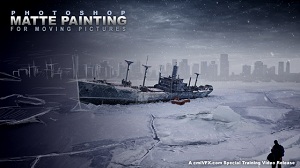
The Sky is the limit, and masking will get you there. Learn masking techniques to extract complex shapes from photographs. You will learn how to extract a city skyline from a cloudy, low contrast photo, in 2 minutes or less. Then we will learn to quickly clean the mask of unwanted elements and add details directly to the buildings and incorporate the sky and shoreline into the snowy scene by painting.
Ships Away
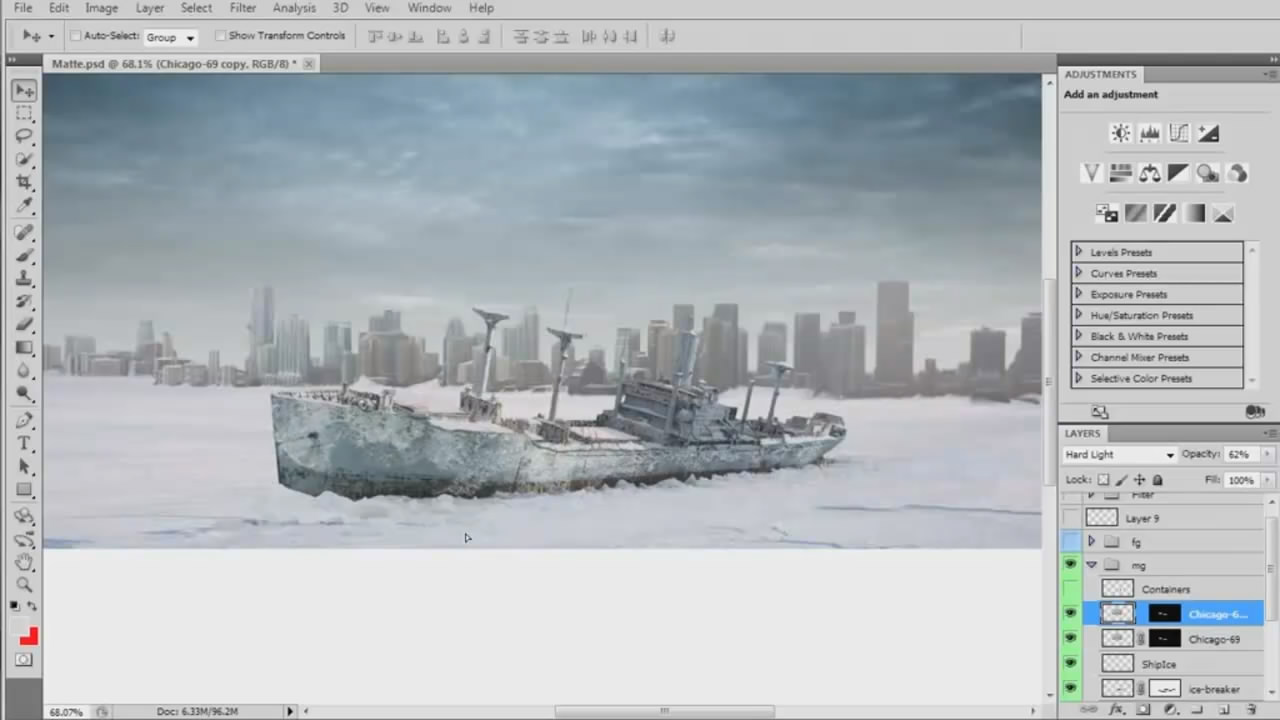
Multiple techniques will be used to mask the ship and remove it from its background. We can then paint in elements that were impossible to save with the mask and begin the process of actually incorporating the ship into the scene by painting on snow and ice. We will also look at the 3D tools built right into Photoshop to put together 3d shipping containers from scratch.
Color Grading
Color correction and grading can be an extremely powerful tool. With these simple, yet far-reaching concepts, we will compose the mood of the scene. By manipulating colors and contrast, adding environmental elements like fog, a vignette, and other filters we will create the final, dramatic appearance.
Layering
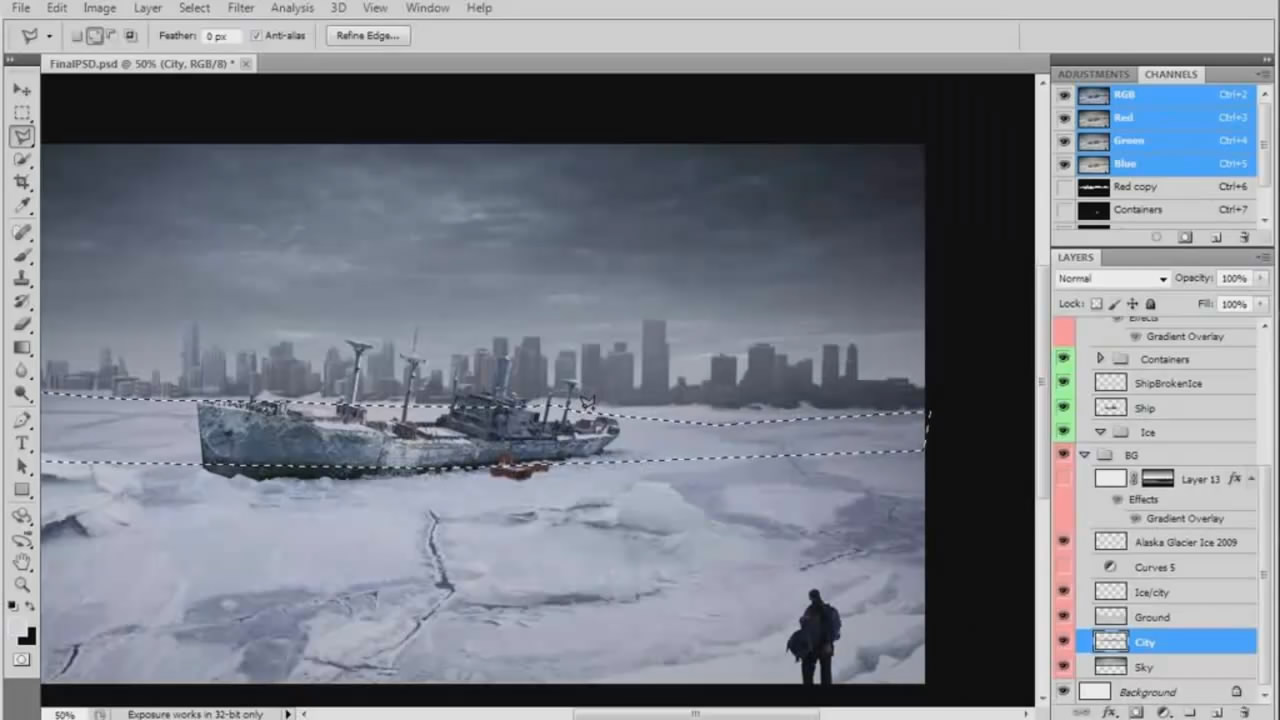
Now we have to clean up our PSD file by organizing and merging down layers where possible. The purpose of a matte painting is to be added to a live plate or to be animated. Naturally, for that we need to send it to camera projection or to compositing. Since we anticipate other artists accessing and working with this file, we need to prepare it in such a way that makes everything easy to find. We will flatten and rename the layers, organize by planes, apply filters, etc. Then we're ready to send to composite.
Compositing
Bring it to life! Here we will go over the final After Effects project to show how the animation and camera were created. You will be able to get an idea of how the project is set-up and what is needed to bring a matte painting to life as a 2D animation.
Everything starts with an idea. In this chapter, we are going to start with a basic sketch and work our way up using reference photographs and color correction tools to create the basic feel of the painting. A very quick
and loose process, the idea of this step is to create a solid starting point. We will be looking for relevant photo references and elements to be used in the main painting, and roughly piecing them together to get the general idea on paper.
Groupings
Time is money. One of the most important things while working in Photoshop with hundreds of layers, is organization. By organizing your layers in a logical way, you will not only make your own life a lot easier, but you will also work much faster, and help the artists working down the pipeline find layers quickly and easily. This translates directly to productivity, not to mention sanity. Afterward, you will never need to use "right click" to find a specific layer among hundreds again!
Sky's the Limit
The Sky is the limit, and masking will get you there. Learn masking techniques to extract complex shapes from photographs. You will learn how to extract a city skyline from a cloudy, low contrast photo, in 2 minutes or less. Then we will learn to quickly clean the mask of unwanted elements and add details directly to the buildings and incorporate the sky and shoreline into the snowy scene by painting.
Ships Away
Multiple techniques will be used to mask the ship and remove it from its background. We can then paint in elements that were impossible to save with the mask and begin the process of actually incorporating the ship into the scene by painting on snow and ice. We will also look at the 3D tools built right into Photoshop to put together 3d shipping containers from scratch.
Color Grading
Color correction and grading can be an extremely powerful tool. With these simple, yet far-reaching concepts, we will compose the mood of the scene. By manipulating colors and contrast, adding environmental elements like fog, a vignette, and other filters we will create the final, dramatic appearance.
Layering
Now we have to clean up our PSD file by organizing and merging down layers where possible. The purpose of a matte painting is to be added to a live plate or to be animated. Naturally, for that we need to send it to camera projection or to compositing. Since we anticipate other artists accessing and working with this file, we need to prepare it in such a way that makes everything easy to find. We will flatten and rename the layers, organize by planes, apply filters, etc. Then we're ready to send to composite.
Compositing
Bring it to life! Here we will go over the final After Effects project to show how the animation and camera were created. You will be able to get an idea of how the project is set-up and what is needed to bring a matte painting to life as a 2D animation.
- В этом уроке мы будем создавать мэт-пэйнт в Photoshop и разобьем картинку на слои так, чтобы в After Effects можно было сделать пролет 3D камерой.
Источник: cmiVFXАвтор: Oliver Regueiro
Качество: хорошее (HD)
Язык: Английский
Продолжительность: 3 часа 15 минут
Рабочие файлы: присутствуют
Размер: 326 мб
Теги:
+18
27 марта 2012 15:03 | Публикаций: 0 | Комментариев: 2 | | Группа: Посетитель
Чудеса!!! СПАСИБО!
6 марта 2012 08:53 | Публикаций: 0 | Комментариев: 11 | | Группа: Посетитель
awesome
27 февраля 2012 20:42 | Публикаций: 0 | Комментариев: 1 | | Группа: Посетитель
Спасибо!)
8 февраля 2012 20:04 | Публикаций: 0 | Комментариев: 13 | | Группа: Посетитель
Посмотрю с удовольствием, всегда интересовал Matte Painting
6 февраля 2012 19:40 | Публикаций: 585 | Комментариев: 1099 | | Группа: Админ
Даа, выглядит симпотично!
6 февраля 2012 18:49 | Публикаций: 6 | Комментариев: 126 | | Группа: Редактор
да, благодарю за урок!
6 февраля 2012 16:59 | Публикаций: 0 | Комментариев: 1 | | Группа: Посетитель
Отличный урок, спасибо!


mackay
Посетитель
28 марта 2012 20:04 | Публикаций: 0 | Комментариев: 21 | | Группа: Посетитель