- Навигация
- Поиск урока
After effects 
- Все уроки
- На русском
- Базовый курс
- Expressions
- Композитинг
- 3D эффекты
- Эффекты с текстом
- Видео эффекты
- Спецэффекты
- Typography
- Motion graphics
- Кеинг
Photoshop
- Все уроки
- Базовый курс
- Дизайн
- Вебдизайн
- Анимация
- Фотообработка
- Свечение
- 3D эффекты
- Эфекты с текстом
- Коллажирование
- Matte painting
3D max
- Все уроки
- Базовый курс
- Текстовые эффекты
- Текстурирование
- FumeFX
- Анимация
- Моделинг
- Рендеринг
- Риггинг
- Освещение
- Mental Ray
- V-Ray
Maya
- Все уроки
- Базовый курс
- На русском
- Освещение
- Рендеринг
- V-Ray
- Моделинг
- Анимация
- Риггинг
- Текстурирование
Softimage, XSI
Mudbox
Eyeon Fusion
Modo
MotionBuilder
VUE
MARI
Anime Studio
Premiere Pro
Massive
UDK
CryENGINE
Уроки по производителю
- Все уроки
- Allanmckay

- Allbetsareoff

- Artbeats

- Аmateurmedia

- Blender Guru

- Bythebooth

- Cgcookie

- Cineversity
- CmiVFX

- Creativecow

- Design-lime

- Digital Tutors

- Eat3D

- Evermotion

- Escape Studios

- Gfx2day

- Gnomon Workshop

- Graymachine

- Greyscalegorilla

- Helloluxx

- Jorgelega

- LFP-industries

- Lynda

- Lyxology

- Mikeudin

- Motionworks

- Maltaannon

- Maxafter

- Mattrunks

- Nix studio edition

- Pariah Studios

- Quba HQ

- Red Giant

- Robert Leger

- Scream school

- Thec4dvault

- Thr3shold-media

- Tutes

- Tuts+
- Tripodbg

- Vertex Pusher

- Video Copilot
- VTC

- Zola-media

Пикады
Заказ платной рекламы
VIDEO TUTORIALS » Maya » Digital Tutors - Motorcycle Modeling Techniques in Maya
Информация к новости
- Просмотров: 6524
- Автор: miracle
- Дата: 8 февраля 2012
Digital Tutors - Motorcycle Modeling Techniques in Maya
Категории: Maya, Текстурирование, Моделинг, Digital tutors
ПAРОЛЬ НА ВСЕ ФАЙЛЫ: videotuts.ru
Скачать видео урок с:
- Об уроке
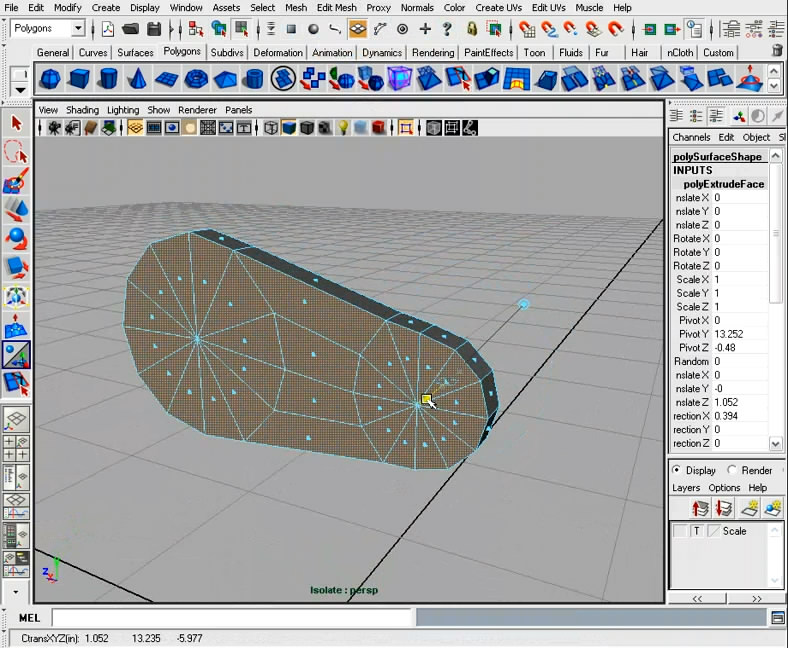
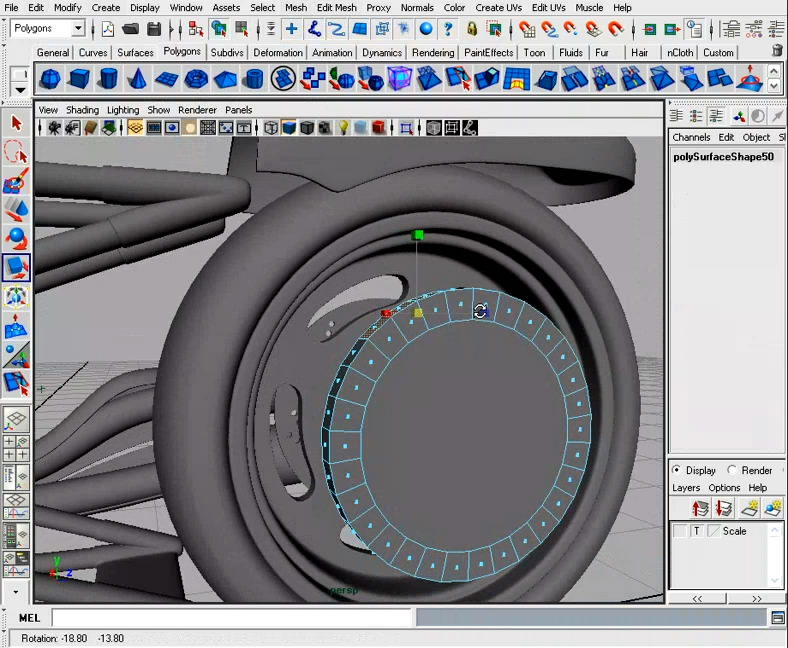
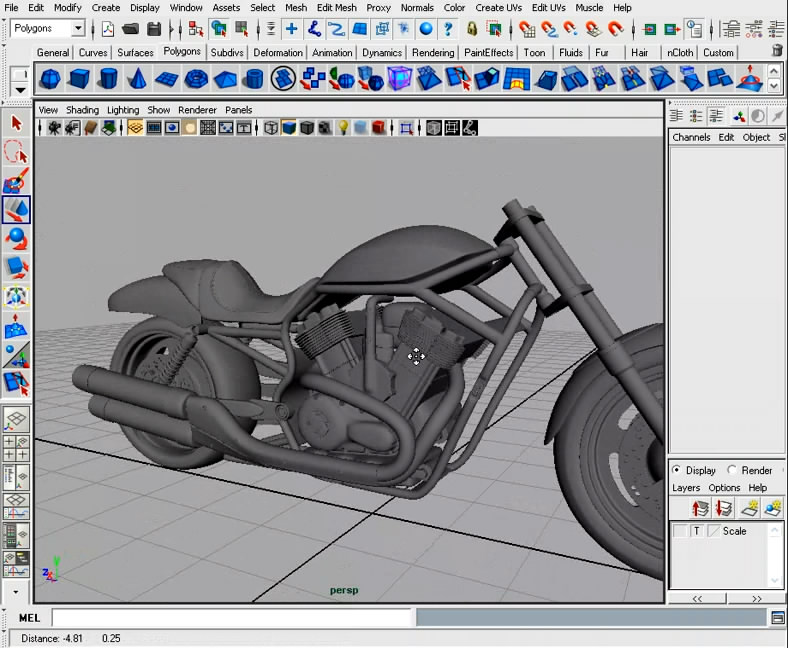
- Скриншоты
1. Introduction and Project Overview 1:24
2. Motorcycle parts and terms 5:45
3. Adding an image plane 5:03
4. Starting a frame with curves 7:35
5. Creating geometry along the bike frame 9:32
6. Attaching the frame together 12:32
7. Adding welds to the frame 9:06
8. Detailing the bike frame 11:54
9. Finishing the frame 12:11
10. Starting the gas tank 11:52
11. Finishing the gas tank 4:08
12. Modeling the wheel 9:58
13. Adding the tire 6:33
14. Using Booleans to add disc brakes 15:06
15. Adding front and back tires 8:38
16. Creating the front fender 6:00
17. Adding the back fender 10:20
18. Building the fork tubes 12:33
19. Building the triple tree 7:50
20. Starting the exhaust pipes 13:14
21. Detailing the exhaust pipes 10:12
22. Building the cylinders 11:14
23. Creating the heads 9:27
24. Adding rocker covers 10:17
25. Building the transmission cover 11:03
26. Finishing the transmission cover 9:57
27. Modeling the water pump 12:27
28. Adding the gear case cover 10:47
29. Finishing the engine 13:02
30. Building the belt drive 10:56
31. Finishing the belt drive 9:43
32. Modeling the swing arm 10:34
33. Adding rear suspension 10:19
34. Modeling the seat 12:32
35. Detailing the seat 7:23
36. Adding front vent piece 11:35
37. Building the radiator 9:06
38. Modeling the headlight and cowl 8:30
39. Adding the brake calipers and cables 8:08
40. Adding the handlebars 6:17
41. Detailing the handlebars 13:39
42. Building pegs and kickstand 10:44
43. Building rear plate and taillights 12:28
44. Modeling the mirrors and brake handles 9:03
45. Naming and creating a hierarchy 6:19
46. Setting up the lighting 4:38
47. Adding materials to the bike 14:05
48. Using mental ray to blend the engine block 3:51
49. Adding textures to the bike 18:12
2. Motorcycle parts and terms 5:45
3. Adding an image plane 5:03
4. Starting a frame with curves 7:35
5. Creating geometry along the bike frame 9:32
6. Attaching the frame together 12:32
7. Adding welds to the frame 9:06
8. Detailing the bike frame 11:54
9. Finishing the frame 12:11
10. Starting the gas tank 11:52
11. Finishing the gas tank 4:08
12. Modeling the wheel 9:58
13. Adding the tire 6:33
14. Using Booleans to add disc brakes 15:06
15. Adding front and back tires 8:38
16. Creating the front fender 6:00
17. Adding the back fender 10:20
18. Building the fork tubes 12:33
19. Building the triple tree 7:50
20. Starting the exhaust pipes 13:14
21. Detailing the exhaust pipes 10:12
22. Building the cylinders 11:14
23. Creating the heads 9:27
24. Adding rocker covers 10:17
25. Building the transmission cover 11:03
26. Finishing the transmission cover 9:57
27. Modeling the water pump 12:27
28. Adding the gear case cover 10:47
29. Finishing the engine 13:02
30. Building the belt drive 10:56
31. Finishing the belt drive 9:43
32. Modeling the swing arm 10:34
33. Adding rear suspension 10:19
34. Modeling the seat 12:32
35. Detailing the seat 7:23
36. Adding front vent piece 11:35
37. Building the radiator 9:06
38. Modeling the headlight and cowl 8:30
39. Adding the brake calipers and cables 8:08
40. Adding the handlebars 6:17
41. Detailing the handlebars 13:39
42. Building pegs and kickstand 10:44
43. Building rear plate and taillights 12:28
44. Modeling the mirrors and brake handles 9:03
45. Naming and creating a hierarchy 6:19
46. Setting up the lighting 4:38
47. Adding materials to the bike 14:05
48. Using mental ray to blend the engine block 3:51
49. Adding textures to the bike 18:12
Описание:
- Экономящий время урок по моделированию мотоцикла и сложных поверхностей, созданию трудных деталей ручной и машинной обработки, изучению способов придания фотореалистичности.
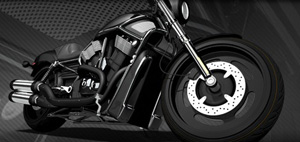
Learn a time-saving workflow to modeling motorcycles and production-ready techniques to hard surface modeling with design constraints, building complex machined and man-made parts, and methods of adding detail for realism. Contains over 8 hours of self-paced training for artists using Maya.
Офф. сайт данного курса: Digital TutorsГод выпуска: 2009
Язык: английский
Качество: хорошее (788x648)
Формат видео: MOV
Размер: 2,64 Гб
Продолжительность: 8 часов
Теги:
+11
Комментариев нет