Навигация
Полезные файлы
After effects 
- Все уроки
- На русском
- Базовый курс
- Expressions
- Композитинг
- 3D эффекты
- Эффекты с текстом
- Видео эффекты
- Спецэффекты
- Typography
- Motion graphics
- Кеинг
Photoshop
- Все уроки
- Дизайн
- Вебдизайн
- Анимация
- Фотообработка
- Свечение
- 3D эффекты
- Эфекты с текстом
- Коллажирование
3D max
- Все уроки
- Базовый курс
- Текстовые эффекты
- FumeFX
- Анимация
- Моделинг
- Рендеринг
- Риггинг
- Освещение
- Mental Ray
Cinema 4D
- Все уроки
- На русском
- Базовый курс
- Освещение
- Текстовые эффекты
- MoDynamics
- Моделинг
- Анимация
- Mograph
- CSTools
- Xpresso
- BodyPaint 3D
- Текстурирование
- Риггинг
Blender
zBrush
Mudbox
Maya
Illustrator
Realflow
Syntheyes
Уроки по производителю
- Все уроки
- Allanmckay
- Allbetsareoff
- Artbeats
- Аmateurmedia
- Bythebooth
- Cineversity
- Creativecow
- Cgcookie
- Digital tutors
- Evermotion
- Gnomon Workshop
- Graymachine
- Greyscalegorilla
- Helloluxx
- Jorgelega
- LFP-industries
- Lynda
- Mikeudin
- Motionworks
- Maltaannon
- Maxafter
- Mattrunks
- Quba HQ
- Robertleger
- Tutes
- Tuts+
- Tripodbg
- Video Copilot
Опрос
Какой программой вы увлекаетесь больше чем остальными?
Популярные новости
» Базовый курс от Video copilot (aeclub.net)
» Pro Scores Cinematic Music Design Tools
» Spatial Experiment - After Effects with Trapcode Partic ...
» Attractor и остановка времени в Cinema 4D
» Green Smoke
» Twisting logo in Cinema 4D
» Slo-Mo with Cinema4D Cloth
» Metal Flowers
» Основы работы в программе Cinema 4D от RealTime
» Тетрис VS Контра
» Pro Scores Cinematic Music Design Tools
» Spatial Experiment - After Effects with Trapcode Partic ...
» Attractor и остановка времени в Cinema 4D
» Green Smoke
» Twisting logo in Cinema 4D
» Slo-Mo with Cinema4D Cloth
» Metal Flowers
» Основы работы в программе Cinema 4D от RealTime
» Тетрис VS Контра
Реклама
Покупка баннеров на сайте
Пикады
Теги
3D, 3d max, after effects, amateurmedia, Basic, basic tutorial, blender, cinema 4d, design, Global Illumination, greyscalegorilla, hdri, illustrator, maxafter, mikeudin, modeling, modelling, Modynamics, mograph, Particle Flow, particular, photoshop, sound fx, sure target, text, texture, Trapcode Particular, Video tutorials, videocopilot, xpresso, видео уроки, кеинг, композитинг, моделинг, планета, спецэффекты, текст, трекинг, фото
Показать все теги
Показать все теги
|
||||
|
||||
|
||||
- Каждый урок из этого видеокурса содержит много полезной информации. В нем показаны все самые интересные и часто востребованные действия - наведение резкости, удаление дефектов кожи, фотомонтаж, цветокоррекция, создание анимированного GIF-файла, восстановление поврежденных фотографий и многое другое. |
||||
|
||||
|
||||
|
||||
|
||||
|
||||
|
||||
- In this tutorial, we'll learn how simple it is to texturize objects using different fusion mode layers, adjustment layers, color tweaks and some very simple filters in Photoshop. - I Let's get started with learning these techniques!" Sergio OrdonezIn this tutorial, we'll learn how simple it is to texturize objects using different fusion mode layers, adjustment layers, color tweaks and some very simple filters in Photoshop. - I You can use this simple technique in more complex illustrations of your own creation. - ILet's get started with learning these techniques!" Sergio Ordonez |
||||
|
||||
|
||||
|
||||
|
||||
|
||||
|
||||
- I'm a huge fan of James White's work. I love the way he plays with geometric elements and colors. It gives a retro feeling to the design, but at the same time he uses a modern approach. In an interview, he mentioned that he uses a Flash script to generate the vector shapes. Then he does the rest of the job in Illustrator and Photoshop.- Well, inspired by James's designs, I decided to figure out my own way of creating that type of effect in Photoshop. In this tutorial, I show you how to mix cool retro geometric shapes into your photos. |
||||
|
||||
|
||||
|
||||
|
||||
- The end goal of a good retoucher is to make their work appear invisible while creating some alternative reality. In this case we're going to look at one method I use for adding a tattoo to an image while making it look like it's really a part of the original photo.- This method involves placing an Illustrator file (the tattoo source image) as a Smart Object, using the Free Transform/Warp Tool, adding a Gaussian Blur (to adjust the 'Focus') and then finishing it all off with a lighting effect created from a Channel Pull. Ready to begin? |
||||
|
||||
|
||||
|
||||
|
||||
|
||||
|
||||
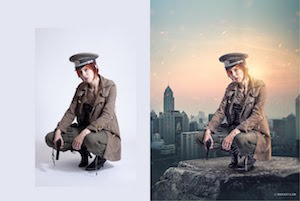
- That way if you work on a project that requires a stunning shot without the stunning photography, you'll be able to cobble something together using your mad skillz! |
||||
|
||||
|
||||
- In this tutorial, we'll grab a picture, apply several filters to it and obtain a monochromatic stain, which combined with stain brushes and a texture will transform into an eye-catching grunge result. Let's get it started! |
||||
|
||||