
How to Place a Fantasy Creature in a Misty Landscape
Коллажирование / Psdtuts+, 13 октября 2009
Скачать урок
Смотреть урок
Превию
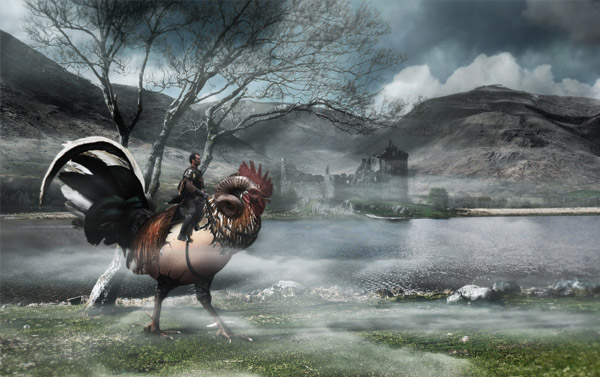
- This time I've got for you a photo manipulation tutorial. We'll grab several photos and create this fantasy mock-up of an unreal creature.
- We'll learn several non-destructive techniques, apply photo filters to adjust the lighting, and of course a little bit of the creative process involved on this piece. Let's get to it!
- We'll learn several non-destructive techniques, apply photo filters to adjust the lighting, and of course a little bit of the creative process involved on this piece. Let's get to it!
 Источник:
 Автор: Alvaro Guzman
Язык: Английский
Качество: отличное
Размер: 498мб
Похожие уроки
Случайные уроки
 How to Create a Fantasy Landscape Photo Manipulation
 How to Create a Fantasy Photo Manipulation
 How to Create a Dark Emotional Photo Manipulation
 How to Create a Fantasy “Mother Nature” Scene
 Create an Out of Bounds Fantasy Illustration
 How to Create a Slice of Nature Photo Manipulation
 How to Create a Photo Manipulation of a Flooded City Scene
 How to Create a Fiery Demon Montage
 Rigid Body в Cinema 4D
 Эффект акварели в Cinema 4D и After Effects
 Моделирование постапокалиптической машины в Blender: бонусный урок
 Радиальная анимация фона в After Effects
 Рельсы американских горок в Cinema 4D
 Зомби в After Effects
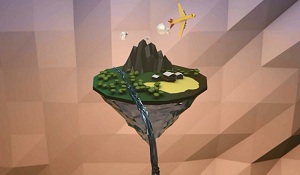 Low-Poly остров в Cinema 4D
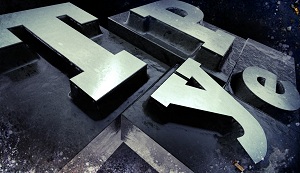 Деревянный и металлический текст в Cinema 4D
Комментарии
Добавить комментарий
Информация
Посетители, находящиеся в группе Гости, не могут оставлять комментарии к данной публикации.
Навигация
Поиск урока


Друзья сайта
Опрос

А ты рассказал о нас всему интернету?
Главная | Форум | Обратная связь | Статистика | Регистрация | Восстановление пароля
Copyright © 2009-2020 Video Tutorials


Copyright © 2009-2020 Video Tutorials